




Halyk Info


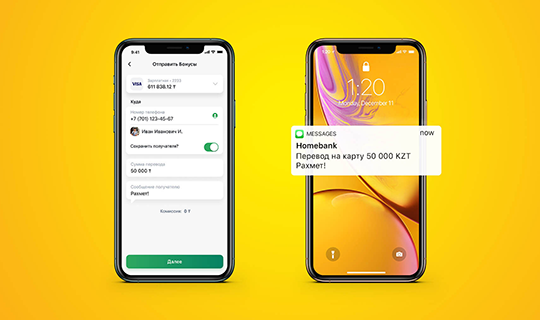
Push-уведомления – это всплывающие окна, на Вашем мобильном телефоне, отображающие через приложение Halyk все операции по Вашим счетам, открытым в нашем Банке, уведомляющие об акциях и новых сервисах, запущенных Банком.
Уведомления чаще всего появляются в выдвижной панели «шторке» в верхней части экрана, а также на экране блокировки.
С 1 июня 2022 года Halyk Bank изменил способ оповещения клиентов по всем карточным операциям. Теперь клиент будет узнавать о них в виде Push-уведомлений из приложения Halyk.
Услуга Push-уведомлений в мобильном приложении бесплатная.
Уведомления чаще всего появляются в выдвижной панели «шторке» в верхней части экрана, а также на экране блокировки.
С 1 июня 2022 года Halyk Bank изменил способ оповещения клиентов по всем карточным операциям. Теперь клиент будет узнавать о них в виде Push-уведомлений из приложения Halyk.
Услуга Push-уведомлений в мобильном приложении бесплатная.
Услуга бесплатная.
Подключите Push-уведомления:
1. Откройте Halyk и перейдите в раздел «Меню»
2. Выберите «Профиль и настройки», далее «Уведомления»/«Моё устройство»
3. На Ваш доверенный номер поступит SMS с кодом
4. Введите код, полученный в SMS
5. В поле «Доверенное устройство» отобразится новое добавленное устройство
6. Далее вернитесь назад и выберите «Уведомления»
7. Выберите опцию «Получать уведомления» и ниже выбрать необходимые опции
1. Откройте Halyk и перейдите в раздел «Меню»
2. Выберите «Профиль и настройки», далее «Уведомления»/«Моё устройство»
3. На Ваш доверенный номер поступит SMS с кодом
4. Введите код, полученный в SMS
5. В поле «Доверенное устройство» отобразится новое добавленное устройство
6. Далее вернитесь назад и выберите «Уведомления»
7. Выберите опцию «Получать уведомления» и ниже выбрать необходимые опции
Вы будете получать транзакционные PUSH-уведомления, то есть операции по картам, оплата на ПТ и т.д. Также в приложении Halyk в меню «Настройки уведомлений»/ «Профиль и настройки»-«Уведомления» Вы можете выбрать из списка необходимые уведомления (операции по счетам, платежи, переводы, депозиты, кредиты, бонусы, маркет, рекламные рассылки).
История PUSH-уведомлений сохраняется в приложении Halyk:
- на главном экране в верхнем правом углу иконка уведомления
- в раздел «Меню» - «Уведомления»
Если же Вы не хотите видеть их на экране, в настройках устройства можно отключить отображение на экране, при этом сохранить вибро и звуковое оповещение.
- на главном экране в верхнем правом углу иконка уведомления
- в раздел «Меню» - «Уведомления»
Если же Вы не хотите видеть их на экране, в настройках устройства можно отключить отображение на экране, при этом сохранить вибро и звуковое оповещение.
Да, получение push-уведомлений на мобильное устройство не требует постоянного открытия приложения. Требуется только подключение к интернет сети для передачи соответствующей информации.
Вам необходимо настроить подключение push-уведомлений в настройках телефона. (Настройки-уведомления- выберите приложение Halyk, от которого Вы хотите получать уведомления, после чего проверьте подключение push-уведомлений в приложении Halyk)