




Halyk Info


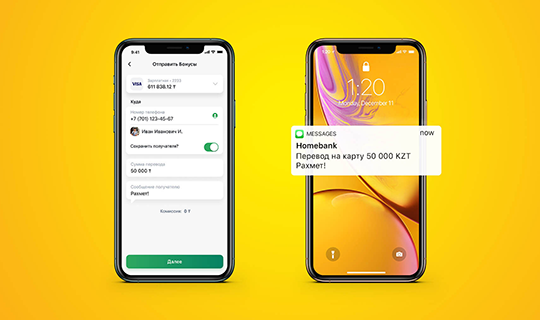
Push notifications are pop-up windows on your mobile phone that display all transactions on your accounts opened with our Bank via Halyk app, informing you about promos and new services launched by the Bank.
Notifications most often appear in the drop-down panel ("curtain") at the top of the screen, as well as on the lock screen.
From 1 June, 2022, Halyk Bank changed the way it notifies customers of all card transactions. Now, customers will learn about them via Push notifications from Halyk app.
The Push notification service in the mobile app is free of charge.
Notifications most often appear in the drop-down panel ("curtain") at the top of the screen, as well as on the lock screen.
From 1 June, 2022, Halyk Bank changed the way it notifies customers of all card transactions. Now, customers will learn about them via Push notifications from Halyk app.
The Push notification service in the mobile app is free of charge.
The service is free of charge.
Enable Push Notifications:
1. Open Halyk and go to "Menu" section.
2. Choose "Profile and Settings," then "Notifications" / "My Device."
3. You will receive SMS with a code to your trusted number.
4. Enter the code received in SMS.
5. The newly added device will be displayed in "Trusted Device" field.
6. Then, go back and choose "Notifications."
7. Choose the "Receive Notifications" option and choose the necessary options below.
1. Open Halyk and go to "Menu" section.
2. Choose "Profile and Settings," then "Notifications" / "My Device."
3. You will receive SMS with a code to your trusted number.
4. Enter the code received in SMS.
5. The newly added device will be displayed in "Trusted Device" field.
6. Then, go back and choose "Notifications."
7. Choose the "Receive Notifications" option and choose the necessary options below.
You will receive transactional push notifications, such as card transactions, payments via POS terminals, etc. You can also choose the necessary notifications from the list (account transactions, payments, transfers, deposits, loans, bonuses, marketplace, promotional emails) in Halyk app under “Notification Settings” / “Profile and Settings” - “Notifications”.
The history of PUSH notifications is saved in Halyk app:
- on the Home, a notification icon in the upper right corner
- in the “Menu” section - “Notifications”
If you do not want to see them on the screen, you can disable their display in your device settings, while preserving vibration and sound alerts.
- on the Home, a notification icon in the upper right corner
- in the “Menu” section - “Notifications”
If you do not want to see them on the screen, you can disable their display in your device settings, while preserving vibration and sound alerts.
Yes, receiving push notifications on a mobile device does not require constantly keeping the app open. All that is required is an internet connection to deliver the corresponding information.
You need to configure push notification activation in your phone settings. (Settings-Notifications-choose Halyk app from which you want to receive notifications, then check the push notification connection in Halyk app).